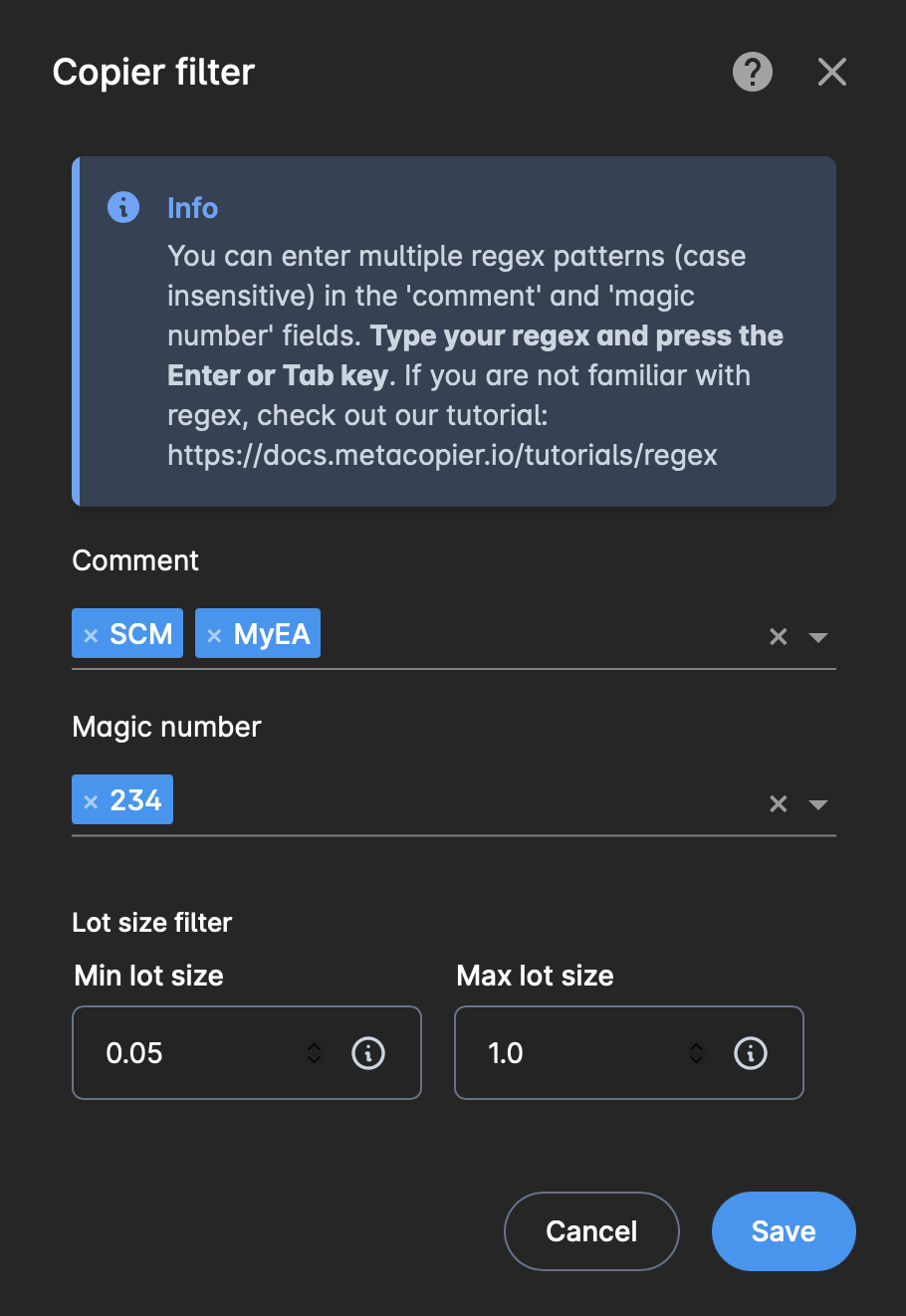
Copier filter
The copier filter lets you selectively copy trades based on their properties. Only positions that match at least one of the configured filters will be copied. For examples of how to use regex, please look at this page.
- Comment: A regex filter (case insensitive) applied to the trade's comment field. If multiple filters are specified, they are combined using an OR condition - a trade is copied if it matches any of the configured comment patterns.
- Magic number: A regex filter (case insensitive) applied to the trade's magic number field. On MetaTrader this corresponds to the magic number, on cTrader to the label, and on DXtrade/TradeLocker/MatchTrader/Binance/Bybit/Bitget/BloFin/OKX this field is not available. If multiple filters are specified, they are combined using an OR condition.
- cTrader limitation: Only numeric labels are supported. The cTrader
labelfield is internally mapped to a numeric value, so labels containing letters or other non-numeric characters (e.g.MA_PD_4_12_26) are ignored and the filter will never match. To use the magic number filter on cTrader, set a numeric-only label on each trade (e.g.412260) and then filter by that number. If you need to route by a string tag, use the Comment filter instead.
- cTrader limitation: Only numeric labels are supported. The cTrader
Additionally, you can filter positions based on the lot size of the master account:
- Min lot size: If the master position's lot size is less than this value, the trade will be skipped. Set to 0 or leave empty to disable.
- Max lot size: If the master position's lot size is greater than this value, the trade will be skipped. Set to 0 or leave empty to disable.
warning
To split the trades of one master account into groups (for example by magic number) with different settings on the same slave, do not add several copiers or Strategies from that master to the slave. Only one of them is applied to each trade. Add the master account once per group instead, see Multiple copiers from the same master.